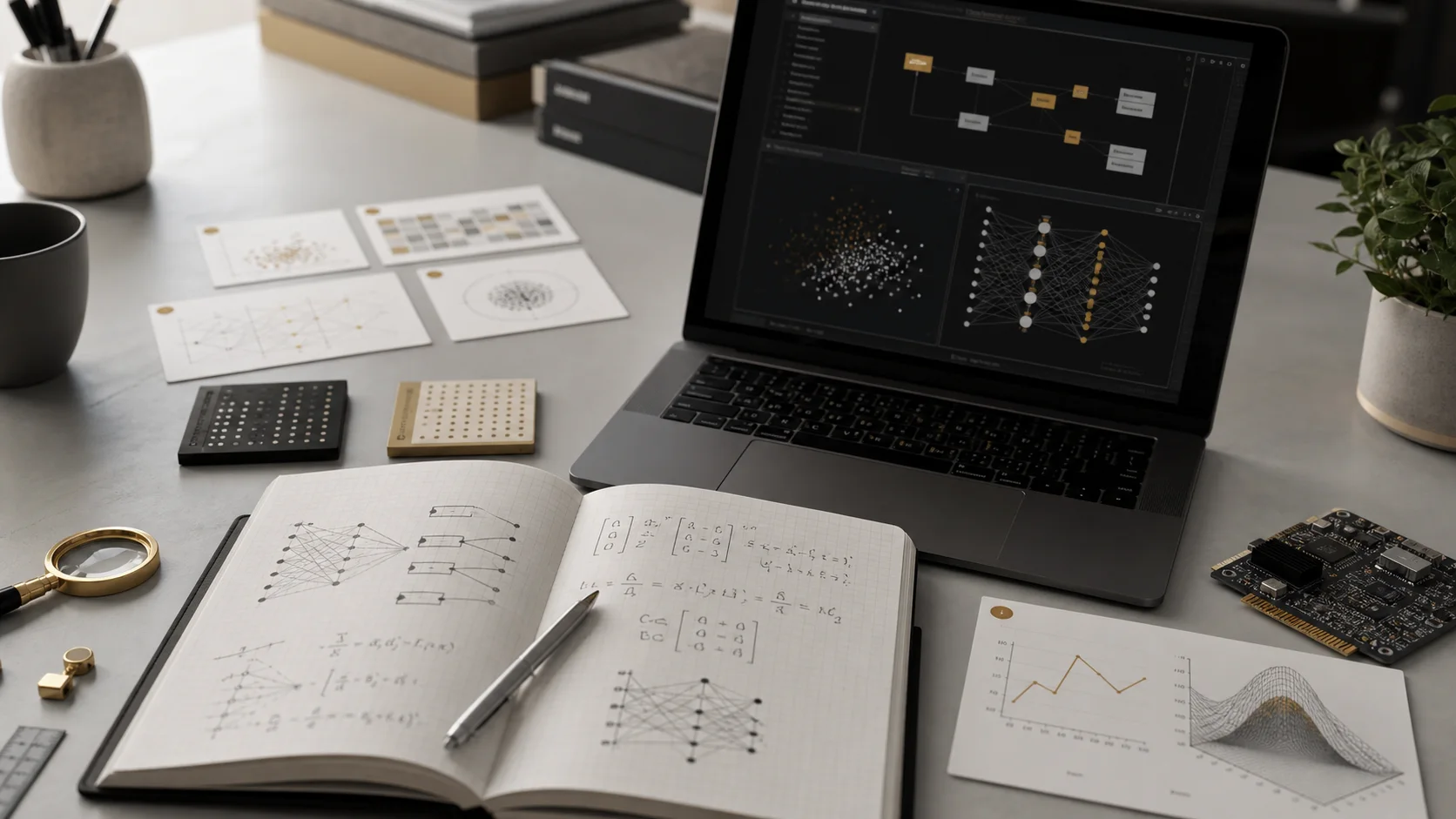
Python for AI (Fast Track)
Python fundamentals, NumPy, Pandas, Matplotlib. Enough to follow ML tutorials.
Python is the undisputed language of AI and machine learning. In this fast-track module, you'll learn enough Python to follow ML tutorials, work with data libraries, and build your own experiments. You don't need prior programming experience — but you should be comfortable with logical thinking and following structured instructions.
Why Python Dominates AI
If you're going to learn one programming language for AI, it's Python. Here's why it became the default:
- Massive ecosystem: Libraries like NumPy, Pandas, scikit-learn, PyTorch, and TensorFlow are all Python-first
- Readable syntax: Python reads almost like English, making it the most approachable language for beginners
- Community: The largest AI research community writes and shares Python code — every tutorial, paper implementation, and open-source model uses Python
- Jupyter notebooks: The interactive notebook format that lets you mix code, output, and explanations was built for Python
- Industry standard: Companies from startups to Google, Meta, and OpenAI use Python for their AI/ML work
Setting Up Your Environment
Before writing any code, you need a Python environment. There are several options, ranked from easiest to most flexible:
| Option | Setup Time | Best For | Limitations |
|---|---|---|---|
| Google Colab | 0 minutes (browser-based) | Beginners, quick experiments, free GPU access | Requires internet, session timeouts |
| Anaconda | 10-15 minutes | Data science workflows, managing packages | Large download (~1.2 GB), can be slow |
| Python + pip + venv | 5-10 minutes | Lightweight setup, production development | More manual configuration |
| uv | 2-5 minutes | Fast package management, modern Python tooling | Newer tool, smaller community docs |
Python Core Syntax: The Fast Track
Here's the essential Python you need for AI/ML work. Every example below is something you'll encounter in real ML tutorials.
Variables and Data Types
Python variables don't need type declarations. You just assign values directly:
# Numbers
learning_rate = 0.001
epochs = 100
accuracy = 0.95

# Strings
model_name = "gpt-4"
status = 'training'

# Booleans
is_trained = True
use_gpu = False

# Python figures out the type automatically
print(type(learning_rate))  # <class 'float'>
print(type(epochs))         # <class 'int'>
Lists and Dictionaries
Lists and dictionaries are the two data structures you'll use constantly:
# Lists — ordered collections (like arrays)
scores = [0.85, 0.90, 0.88, 0.92, 0.95]
labels = ["cat", "dog", "bird"]

# Access by index (0-based)
print(scores[0])    # 0.85
print(scores[-1])   # 0.95 (last item)
print(scores[1:3])  # [0.90, 0.88] (slicing)

# Dictionaries — key-value pairs (like JSON objects)
model_config = {
    "name": "my-classifier",
    "layers": 3,
    "learning_rate": 0.001,
    "dropout": 0.2
}

# Access by key
print(model_config["layers"])  # 3
model_config["epochs"] = 50    # Add a new key
Functions
Functions let you package reusable logic. In ML, you'll write functions for data preprocessing, model evaluation, and visualization:
# Define a function
def calculate_accuracy(correct, total):
    """Calculate prediction accuracy as a percentage."""
    return (correct / total) * 100

# Call the function
result = calculate_accuracy(85, 100)
print(f"Accuracy: {result}%")  # Accuracy: 85.0%

# Functions with default parameters
def train_model(data, epochs=10, learning_rate=0.001):
    print(f"Training for {epochs} epochs at lr={learning_rate}")
    # ... training logic here

train_model(my_data)                    # uses defaults
train_model(my_data, epochs=50)         # override epochs
train_model(my_data, learning_rate=0.01)  # override lr
Loops and Conditionals
# For loops — iterate over collections
scores = [0.85, 0.90, 0.88, 0.92]
for score in scores:
    if score > 0.9:
        print(f"{score} — above threshold")
    else:
        print(f"{score} — below threshold")

# Range-based loop (common in training loops)
for epoch in range(5):
    print(f"Epoch {epoch + 1}/5")

# List comprehensions — concise way to create lists
squared = [x ** 2 for x in range(10)]
# [0, 1, 4, 9, 16, 25, 36, 49, 64, 81]

# Filtering with comprehensions
high_scores = [s for s in scores if s > 0.89]
# [0.90, 0.92]NumPy: Numerical Computing
NumPy is the foundation of almost every AI library. It provides fast operations on arrays of numbers — which is exactly what neural networks work with. When you hear "tensor" in AI, think "NumPy array" as the underlying concept.
import numpy as np

# Create arrays
a = np.array([1, 2, 3, 4, 5])
b = np.array([10, 20, 30, 40, 50])

# Element-wise operations (no loops needed!)
print(a + b)      # [11 22 33 44 55]
print(a * 2)      # [ 2  4  6  8 10]
print(a * b)      # [ 10  40  90 160 250]

# 2D arrays (matrices) — the shape of data in ML
matrix = np.array([
    [1, 2, 3],
    [4, 5, 6],
    [7, 8, 9]
])
print(matrix.shape)  # (3, 3)

# Common operations in ML
data = np.random.randn(1000)    # 1000 random numbers
print(np.mean(data))             # average
print(np.std(data))              # standard deviation
print(np.max(data), np.min(data))  # max and min

# Reshaping — constantly used when feeding data to models
flat = np.arange(12)             # [0, 1, 2, ..., 11]
reshaped = flat.reshape(3, 4)    # 3 rows, 4 columns
print(reshaped.shape) # (3, 4)Pandas: Data Manipulation
Pandas is your tool for loading, cleaning, and transforming data. It introduces the DataFrame — a table-like structure that's the standard way to handle datasets in Python. If you've used Excel or SQL, Pandas will feel familiar.
import pandas as pd

# Load data from a CSV file
df = pd.read_csv("sales_data.csv")

# Quick overview
print(df.shape)          # (1000, 8) — 1000 rows, 8 columns
print(df.head())         # first 5 rows
print(df.describe())     # summary statistics
print(df.info())         # column types and missing values

# Select columns
revenue = df["revenue"]
subset = df[["product", "revenue", "date"]]

# Filter rows
high_value = df[df["revenue"] > 1000]
q1_data = df[df["quarter"] == "Q1"]

# Group and aggregate (like SQL GROUP BY)
by_product = df.groupby("product")["revenue"].sum()
by_region = df.groupby("region").agg({
    "revenue": "sum",
    "orders": "count",
    "rating": "mean"
})

# Handle missing data
df["revenue"].fillna(0, inplace=True)   # fill NaN with 0
df.dropna(subset=["email"], inplace=True)  # drop rows missing email

# Create new columns
df["profit_margin"] = df["profit"] / df["revenue"]
df["year"] = pd.to_datetime(df["date"]).dt.year
Matplotlib: Visualization
Matplotlib is the standard Python plotting library. While there are fancier alternatives (Seaborn, Plotly), Matplotlib is what you'll see in most tutorials and research papers.
import matplotlib.pyplot as plt
import numpy as np

# Line plot — great for training loss curves
epochs = range(1, 51)
loss = [1.0 / (1 + 0.1 * x) + np.random.normal(0, 0.02) for x in epochs]

plt.figure(figsize=(10, 6))
plt.plot(epochs, loss, label="Training Loss")
plt.xlabel("Epoch")
plt.ylabel("Loss")
plt.title("Model Training Progress")
plt.legend()
plt.grid(True, alpha=0.3)
plt.show()

# Bar chart — comparing model performance
models = ["Logistic Reg", "Random Forest", "XGBoost", "Neural Net"]
accuracies = [0.82, 0.89, 0.91, 0.93]

plt.figure(figsize=(8, 5))
plt.bar(models, accuracies, color=["#3b82f6", "#22c55e", "#f59e0b", "#ef4444"])
plt.ylabel("Accuracy")
plt.title("Model Comparison")
plt.ylim(0.7, 1.0)
plt.show()

# Scatter plot — visualizing relationships
plt.figure(figsize=(8, 6))
plt.scatter(df["feature_1"], df["feature_2"], c=df["label"], cmap="viridis", alpha=0.6)
plt.colorbar(label="Class")
plt.xlabel("Feature 1")
plt.ylabel("Feature 2")
plt.title("Feature Distribution by Class")
plt.show()
Jupyter Notebooks
Jupyter notebooks are the standard development environment for AI/ML work. Unlike regular Python scripts that run top to bottom, notebooks let you write and execute code in cells, seeing results immediately. This is perfect for the experimental, iterative nature of ML.
Why Notebooks Matter for AI
- Interactive exploration: Run a cell, see the output, adjust, and re-run — without restarting your entire program
- Mix code and documentation: Markdown cells let you explain what you're doing alongside the code
- Visualizations inline: Charts and images display directly below the code that creates them
- Share your work: Notebooks are the standard format for ML tutorials, Kaggle competitions, and research demonstrations
- State persistence: Variables and loaded data persist across cells, so you load your dataset once and work with it throughout
Key Libraries Overview
Beyond the core three (NumPy, Pandas, Matplotlib), here are the libraries you'll encounter frequently in AI/ML work:
| Library | Purpose | When You'll Use It |
|---|---|---|
| scikit-learn | Classical ML algorithms (classification, regression, clustering) | Your first ML models, data preprocessing, model evaluation |
| PyTorch | Deep learning framework | Building and training neural networks, research |
| TensorFlow / Keras | Deep learning framework | Production ML systems, mobile deployment |
| Hugging Face Transformers | Pre-trained language and vision models | NLP tasks, using open-source LLMs, fine-tuning |
| Seaborn | Statistical data visualization | More polished charts with less code than Matplotlib |
| OpenCV | Computer vision and image processing | Image manipulation, video processing, object detection |
Your First ML Snippet
To tie it all together, here's a complete example that loads data, trains a simple model, and evaluates it. This is the pattern you'll see in virtually every ML tutorial:
import numpy as np
import pandas as pd
from sklearn.model_selection import train_test_split
from sklearn.ensemble import RandomForestClassifier
from sklearn.metrics import accuracy_score, classification_report

# 1. Load and explore data
df = pd.read_csv("dataset.csv")
print(f"Dataset shape: {df.shape}")
print(df.head())

# 2. Prepare features (X) and labels (y)
X = df.drop("target", axis=1)    # everything except the target column
y = df["target"]                   # what we're predicting

# 3. Split into training and testing sets
X_train, X_test, y_train, y_test = train_test_split(
    X, y, test_size=0.2, random_state=42
)
print(f"Training samples: {len(X_train)}")
print(f"Testing samples: {len(X_test)}")

# 4. Train the model
model = RandomForestClassifier(n_estimators=100, random_state=42)
model.fit(X_train, y_train)

# 5. Evaluate
predictions = model.predict(X_test)
accuracy = accuracy_score(y_test, predictions)
print(f"Accuracy: {accuracy:.2%}")
print(classification_report(y_test, predictions))Practical Exercises
Work through these exercises in a Google Colab notebook to solidify your understanding:
NumPy Basics
Create a 2D NumPy array of random numbers (shape 5x3). Calculate the mean and standard deviation of each column. Find the row with the highest sum.
Pandas Data Exploration
Load a CSV dataset from a URL (try a Kaggle dataset). Use .head(), .describe(), .info(), and .value_counts() to explore it. Filter rows based on a condition and create a new calculated column.
Visualization Challenge
Using Matplotlib, create three different chart types (line, bar, scatter) from the same dataset. Add titles, labels, and a legend to each. Try using plt.subplots() to show all three in a single figure.
End-to-End ML Pipeline
Use the scikit-learn Iris dataset (from sklearn.datasets import load_iris). Split it into train/test sets, train a RandomForestClassifier, and print the accuracy. Then try a different model (like LogisticRegression) and compare.
Recommended Resources
Python for Data Science and Machine Learning Bootcamp
Jose Portilla (Udemy)
Comprehensive course covering Python, NumPy, Pandas, Matplotlib, scikit-learn, and more with hands-on exercises.
Google Colab
Free browser-based Jupyter notebooks with Python and ML libraries pre-installed. Includes free GPU access for training models.
Python for Beginners — Full Course
freeCodeCamp
Comprehensive free Python tutorial covering fundamentals through intermediate topics, ideal for those new to programming.
Real Python Tutorials
Real Python
High-quality Python tutorials covering everything from basics to advanced topics, with a strong focus on practical applications.
Kaggle Learn: Intro to Machine Learning
Kaggle
Free, hands-on micro-course that teaches ML fundamentals using Python in Kaggle's browser-based notebook environment.
Key Takeaways
- 1Python dominates AI/ML due to its readable syntax, massive library ecosystem (NumPy, Pandas, PyTorch, scikit-learn), and the largest AI research community.
- 2Start with Google Colab for zero-setup Python development — it gives you Jupyter notebooks with all ML libraries pre-installed and free GPU access.
- 3You only need about 20% of Python for ML work: variables, functions, loops, lists, dictionaries, and how to import and use libraries.
- 4NumPy provides fast array operations (the foundation of all ML math), Pandas handles data loading and manipulation, and Matplotlib creates visualizations.
- 5The standard ML workflow in Python is: load data (Pandas) → preprocess (Pandas/NumPy) → split train/test → train model (scikit-learn/PyTorch) → evaluate results.
- 6Don't memorize syntax — use documentation and AI assistants to help write code. Understanding the concepts matters more than remembering exact function names.
Test Your Understanding
Module Assessment
5 questions · Score 70% or higher to complete this module
You can retake the quiz as many times as you need. Your best score is saved.