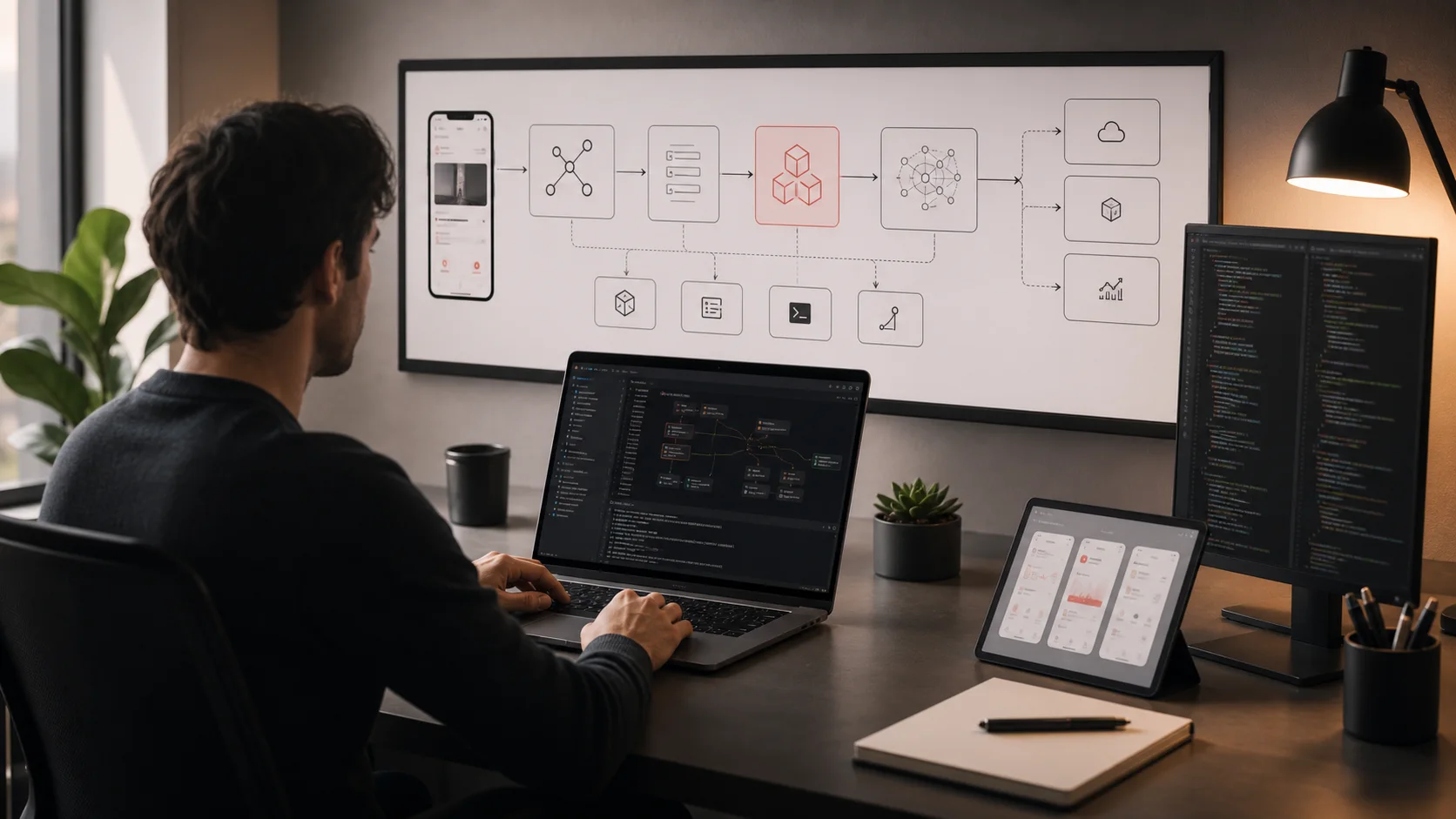
AI Agents & Agentic Workflows
Tool use, function calling, multi-step reasoning. LangChain, LangGraph, CrewAI, Autogen.
AI agents are the most transformative development in applied AI since the release of ChatGPT. An agent is an LLM that can reason about a problem, decide which tools to use, take actions, observe the results, and repeat until the task is complete. 2026 is widely called the "Age of Agents" — every major AI lab and framework has shipped agent infrastructure, and production agent deployments are growing rapidly across industries.
What Is an AI Agent?
An AI agent combines three core capabilities that, together, make it far more powerful than a standalone LLM:
- Reasoning: The LLM thinks through a problem step by step, deciding what information it needs and what actions to take.
- Tool use: The agent can call external tools — functions, APIs, databases, code interpreters, web browsers — to interact with the real world.
- Looping: Instead of generating a single response, the agent runs in a loop: reason about the current state, take an action, observe the result, then decide what to do next. This continues until the task is complete or a stopping condition is met.
Agent vs. chatbot — the key difference:
Chatbot (single turn): User: "What's the weather in Tokyo?" LLM: "I don't have access to real-time weather data." Agent (multi-step): User: "What's the weather in Tokyo?" Agent thinks: "I need to check weather data. I have a weather API tool." Agent calls: weather_api(city="Tokyo") Agent observes: {"temp": 18, "condition": "partly cloudy", "humidity": 65} Agent responds: "It's 18°C and partly cloudy in Tokyo with 65% humidity."
The critical distinction is autonomy. A chatbot generates text. An agent takes actions in the world. This makes agents dramatically more useful — and also more dangerous if not properly constrained.
Tool Use and Function Calling
Tool use (also called function calling) is the foundation of every agent system. The LLM doesn't actually execute code — it generates a structured request (typically JSON) indicating which tool to call and with what arguments. The host application executes the tool and returns the result to the LLM.
How tool use works under the hood:
# 1. Define tools as structured schemas tools = [ { "name": "search_database", "description": "Search the product database by query", "parameters": { "type": "object", "properties": { "query": {"type": "string", "description": "Search query"}, "limit": {"type": "integer", "description": "Max results"} }, "required": ["query"] } }, { "name": "send_email", "description": "Send an email to a customer", "parameters": { "type": "object", "properties": { "to": {"type": "string"}, "subject": {"type": "string"}, "body": {"type": "string"} }, "required": ["to", "subject", "body"] } } ] # 2. LLM sees the tools and decides to call one response = llm.generate( messages=[{"role": "user", "content": "Find laptops under $1000"}], tools=tools ) # 3. LLM returns a tool call (not text!) # response.tool_calls = [ # {"name": "search_database", "arguments": {"query": "laptops under $1000", "limit": 5}} # ] # 4. Your code executes the tool and feeds the result back result = search_database(query="laptops under $1000", limit=5) # Continue the conversation with the tool result...
Every major LLM provider supports tool use natively: Claude (Anthropic), GPT-4o and GPT-5 (OpenAI), Gemini (Google), and Command R+ (Cohere). The tool definition schema is similar across providers, making it relatively straightforward to switch models.
The ReAct Pattern: How Agents Think
The dominant reasoning pattern in AI agents is ReAct(Reason + Act), introduced by Yao et al. in 2022. It interleaves reasoning traces with concrete actions in a loop:
The ReAct loop:
Task: "Book a meeting with Sarah next Tuesday at 2pm and send her a confirmation." Step 1 - REASON: I need to check Sarah's calendar availability for next Tuesday at 2pm. Step 1 - ACT: check_calendar(user="sarah", date="2026-03-24", time="14:00") Step 1 - OBSERVE: {"available": true, "conflicts": []} Step 2 - REASON: Sarah is available. Now I need to create the calendar event. Step 2 - ACT: create_event(title="Meeting", attendees=["sarah"], date="2026-03-24", time="14:00") Step 2 - OBSERVE: {"event_id": "evt_123", "status": "confirmed"} Step 3 - REASON: Event created. Now I need to send a confirmation email. Step 3 - ACT: send_email(to="sarah@company.com", subject="Meeting Confirmed - Tue Mar 24 at 2pm", body="...") Step 3 - OBSERVE: {"status": "sent"} Step 4 - REASON: All tasks complete. I can respond to the user. FINAL: "Done! I've booked a meeting with Sarah for next Tuesday at 2pm and sent her a confirmation email."
The power of ReAct is that the model explicitly reasons before each action, making it more reliable than approaches where the model tries to plan everything upfront. Each observation feeds into the next reasoning step, allowing the agent to adapt to unexpected results (e.g., Sarah isn't available, the email fails to send).
Agent Design Patterns
Beyond the basic ReAct loop, several higher-level patterns have emerged for structuring agent systems. The right pattern depends on your task's complexity and reliability requirements.
| Pattern | How It Works | Best For |
|---|---|---|
| Router | A classifier agent examines the input and routes it to a specialized sub-agent or tool | Customer support (billing vs. technical vs. sales), multi-domain assistants |
| Planner-Executor | One agent creates a step-by-step plan; another executes each step sequentially | Complex multi-step tasks like research, data analysis, project management |
| Critic / Verifier | A second agent reviews the first agent's output and flags errors or suggests improvements | Code generation, content writing, any task where quality matters more than speed |
| Reflection | The agent reviews its own output, identifies weaknesses, and iterates to improve | Essay writing, code refactoring, any task that benefits from self-review |
| Orchestrator-Workers | A central agent delegates subtasks to specialized worker agents that run in parallel | Large-scale research, data processing, tasks that can be parallelized |
Key Agent Frameworks in 2026
The agent framework ecosystem has matured significantly. Here are the most widely adopted frameworks, each with a distinct philosophy.
LangChain + LangGraph
LangChain is the most popular AI application framework with over 47 million PyPI downloads. LangGraph, its companion library for building agents, uses a graph-based approach where you define agent workflows as nodes (actions) and edges (transitions). This makes complex, stateful workflows explicit and debuggable.
LangGraph agent example (conceptual):
from langgraph.graph import StateGraph, MessagesState, START, END from langchain_anthropic import ChatAnthropic # Define the LLM with tools model = ChatAnthropic(model="claude-sonnet-4-20250514").bind_tools(tools) # Define the agent's reasoning node def agent_node(state: MessagesState): response = model.invoke(state["messages"]) return {"messages": [response]} # Define the tool execution node def tool_node(state: MessagesState): # Execute the tool calls from the last message results = execute_tools(state["messages"][-1].tool_calls) return {"messages": results} # Build the graph graph = StateGraph(MessagesState) graph.add_node("agent", agent_node) graph.add_node("tools", tool_node) # Define the flow: start → agent → tools → agent → ... → end graph.add_edge(START, "agent") graph.add_conditional_edges("agent", should_continue, {"tools": "tools", "end": END}) graph.add_edge("tools", "agent") # Compile and run app = graph.compile() result = app.invoke({"messages": [("user", "What's the weather in Tokyo?")]})
LangGraph's graph-based model gives you fine-grained control over the agent's flow, including conditional branching, parallel execution, human-in-the-loop checkpoints, and persistent state. It has become the default choice for production agent systems that need complex orchestration.
CrewAI
CrewAI takes a different approach: it models agents using a role-based mental model. Each agent has a role (what it does), a goal (what it's trying to achieve), and a backstory (context about its expertise). This makes multi-agent systems intuitive to design — you think about your team the way you'd think about hiring people.
CrewAI multi-agent example (conceptual):
from crewai import Agent, Task, Crew # Define agents with roles, goals, and backstories researcher = Agent( role="Senior Research Analyst", goal="Find comprehensive, accurate information on the given topic", backstory="You are an experienced research analyst with a keen eye " "for reliable sources and data-driven insights.", tools=[web_search, arxiv_search], ) writer = Agent( role="Technical Writer", goal="Create clear, engaging content from research findings", backstory="You are a skilled technical writer who excels at making " "complex topics accessible to a broad audience.", tools=[text_editor], ) # Define tasks research_task = Task( description="Research the latest developments in AI agents for 2026", agent=researcher, expected_output="A detailed research brief with key findings and sources" ) writing_task = Task( description="Write a blog post based on the research brief", agent=writer, expected_output="A polished 1500-word blog post", context=[research_task] # This task depends on the research task ) # Assemble the crew and run crew = Crew(agents=[researcher, writer], tasks=[research_task, writing_task]) result = crew.kickoff()
Microsoft AutoGen
AutoGen (v0.4) focuses on adaptive, conversational multi-agent systems. Its key innovation is asynchronous agent-to-agent communication — agents send messages to each other and respond when ready, much like human team collaboration. AutoGen v0.4 introduced a fully rewritten architecture with better support for production deployments, including distributed agent runtimes and improved observability.
Anthropic Agent SDK
Anthropic released its Agent SDK for both Python and TypeScript, providing the same tool-use and agentic patterns that power Claude Code. The SDK emphasizes simplicity and safety: built-in guardrails, structured tool definitions, and a straightforward agent loop. It integrates natively with the Claude model family and supports the Model Context Protocol (MCP) for connecting to external data sources and tools.
Anthropic Agent SDK example (conceptual, Python):
import anthropic from anthropic.types import ToolUseBlock client = anthropic.Anthropic() # Define tools tools = [ { "name": "get_weather", "description": "Get current weather for a city", "input_schema": { "type": "object", "properties": { "city": {"type": "string", "description": "City name"} }, "required": ["city"] } } ] # Agent loop: reason → act → observe → repeat messages = [{"role": "user", "content": "What's the weather in Tokyo and London?"}] while True: response = client.messages.create( model="claude-sonnet-4-20250514", max_tokens=1024, tools=tools, messages=messages, ) # If the model wants to use tools, execute them if response.stop_reason == "tool_use": tool_results = [] for block in response.content: if isinstance(block, ToolUseBlock): result = execute_tool(block.name, block.input) tool_results.append({ "type": "tool_result", "tool_use_id": block.id, "content": str(result), }) messages.append({"role": "assistant", "content": response.content}) messages.append({"role": "user", "content": tool_results}) else: # Model is done — print final response print(response.content[0].text) break
OpenAI Agents SDK
The OpenAI Agents SDK (v0.12.5) provides a lightweight, provider-agnostic framework for building agents. Despite its name, it supports over 100 LLMs beyond OpenAI models, making it a flexible choice for teams that want to switch providers easily. It features built-in tracing, handoff patterns for multi-agent coordination, and guardrail integration.
| Framework | Philosophy | Best For | Language |
|---|---|---|---|
| LangGraph | Graph-based orchestration with explicit state | Complex, stateful workflows needing fine control | Python, JS/TS |
| CrewAI | Role-based multi-agent teams | Collaborative tasks with distinct agent roles | Python |
| AutoGen | Async agent-to-agent conversation | Adaptive multi-agent dialogue, distributed systems | Python, .NET |
| Anthropic SDK | Simple, safe agent loops with MCP | Claude-native apps, safety-first agents | Python, TS |
| OpenAI Agents SDK | Lightweight, provider-agnostic | Multi-provider setups, quick prototyping | Python |
Building a Multi-Agent System
Multi-agent systems use two or more agents that collaborate to complete a task. The key design decisions are how agents communicate, how tasks are divided, and how conflicts are resolved.
Example: customer support multi-agent system
┌─────────────┐ User message ───→ │ Router │ │ Agent │ └──────┬──────┘ │ ┌────────────┼────────────┐ ▼ ▼ ▼ ┌──────────┐ ┌──────────┐ ┌──────────┐ │ Billing │ │ Technical│ │ Sales │ │ Agent │ │ Agent │ │ Agent │ │ │ │ │ │ │ │ Tools: │ │ Tools: │ │ Tools: │ │ - orders │ │ - logs │ │ - CRM │ │ - refund │ │ - docs │ │ - pricing│ │ - invoice│ │ - tickets│ │ - demos │ └─────┬────┘ └─────┬────┘ └─────┬────┘ │ │ │ └────────────┼────────────┘ ▼ ┌─────────────┐ │ Quality │ │ Checker │ │ Agent │ └──────┬──────┘ │ ▼ Response to user
In this system, the Router Agent classifies the user's intent and delegates to a specialized agent. Each specialist has access only to the tools relevant to its domain. A Quality Checker reviews the response before it reaches the user, catching errors, hallucinations, or policy violations.
Safety and Guardrails for Agents
Agents can take real actions in the world — calling APIs, modifying data, sending emails, executing code. This makes safety guardrails essential, not optional.
Key Guardrail Strategies
- Tool scoping: Give each agent access only to the tools it needs. A research agent should not have access to the payment processing API. Follow the principle of least privilege.
- Human-in-the-loop for high-stakes actions: Require human approval before irreversible actions — sending emails, processing payments, deleting data, deploying code. The agent prepares the action; a human confirms it.
- Rate limiting and budgets: Set limits on how many tools an agent can call per session, how much compute it can use, and how long it can run. This prevents runaway loops.
- Output validation: Validate tool call arguments before execution. Check that email addresses are real, amounts are within bounds, and queries are sanitized against injection.
- Sandboxing: Execute agent-generated code in sandboxed environments (containers, VMs, or serverless functions). Never run untrusted code directly on your production infrastructure.
- Audit logging: Log every reasoning step, tool call, and result. This is essential for debugging, compliance, and improving the agent over time.
The 2026 Trend: Graph-Based Orchestration
A clear trend across the agent ecosystem is convergence toward graph-based orchestration. LangGraph pioneered this approach, but the concept has spread: frameworks increasingly model agent workflows as directed graphs where nodes represent processing steps and edges represent transitions.
Why graphs? Because real-world agent workflows aren't linear. They involve:
- Conditional branching: Different paths based on classification results or tool outputs
- Loops: Retry logic, iterative refinement, ReAct cycles
- Parallel execution: Fan-out to multiple agents or tools simultaneously
- Checkpointing: Save state at key points so workflows can resume after failures or human review
- Human-in-the-loop: Pause the graph at approval nodes and resume when a human confirms
Graphs make all of these patterns explicit and composable, compared to imperative code where the flow is implicit and harder to visualize, test, and debug.
Resources
LangGraph Documentation
LangChain
Official documentation for LangGraph, covering graph-based agent orchestration, state management, human-in-the-loop patterns, and multi-agent architectures.
CrewAI Documentation
CrewAI
Comprehensive guide to building multi-agent systems with CrewAI's role-based framework, including agent design, task management, and crew orchestration.
Anthropic: Building Effective Agents
Anthropic
Anthropic's guide to agent design patterns, covering when to use agents, how to structure tool use, and best practices for reliability and safety.
Key Takeaways
- 1An AI agent is an LLM with tools and a reasoning loop — it can think, act, observe results, and repeat until the task is done.
- 2Tool use (function calling) is the foundation: the LLM generates structured tool requests, your code executes them, and results flow back to the LLM.
- 3The ReAct pattern (Reason → Act → Observe → Repeat) is the dominant agent reasoning approach, enabling step-by-step problem solving with course correction.
- 4Five key design patterns — router, planner-executor, critic, reflection, and orchestrator-workers — cover most agent use cases.
- 5Major frameworks include LangGraph (graph orchestration), CrewAI (role-based teams), AutoGen (async communication), Anthropic Agent SDK (safety-first), and OpenAI Agents SDK (provider-agnostic).
- 6Safety guardrails are non-negotiable for agents: scope tool access, require human approval for high-stakes actions, set rate limits, validate outputs, and log everything.
- 7The 2026 trend is convergence toward graph-based orchestration, which makes complex agent workflows explicit, composable, and debuggable.
Test Your Understanding
Module Assessment
5 questions · Score 70% or higher to complete this module
You can retake the quiz as many times as you need. Your best score is saved.